Human Design,inside your WordPress.
Run your Human Design practice from the dashboard you already use. The free reloom plugin gives you a client roster, living Bodygraph charts, AI readings in two voices and one-click PDF export — always in sync with your reloom account.
- Free plugin
- Free reloom plan to start
- Powered by the reloom API
- See pricing
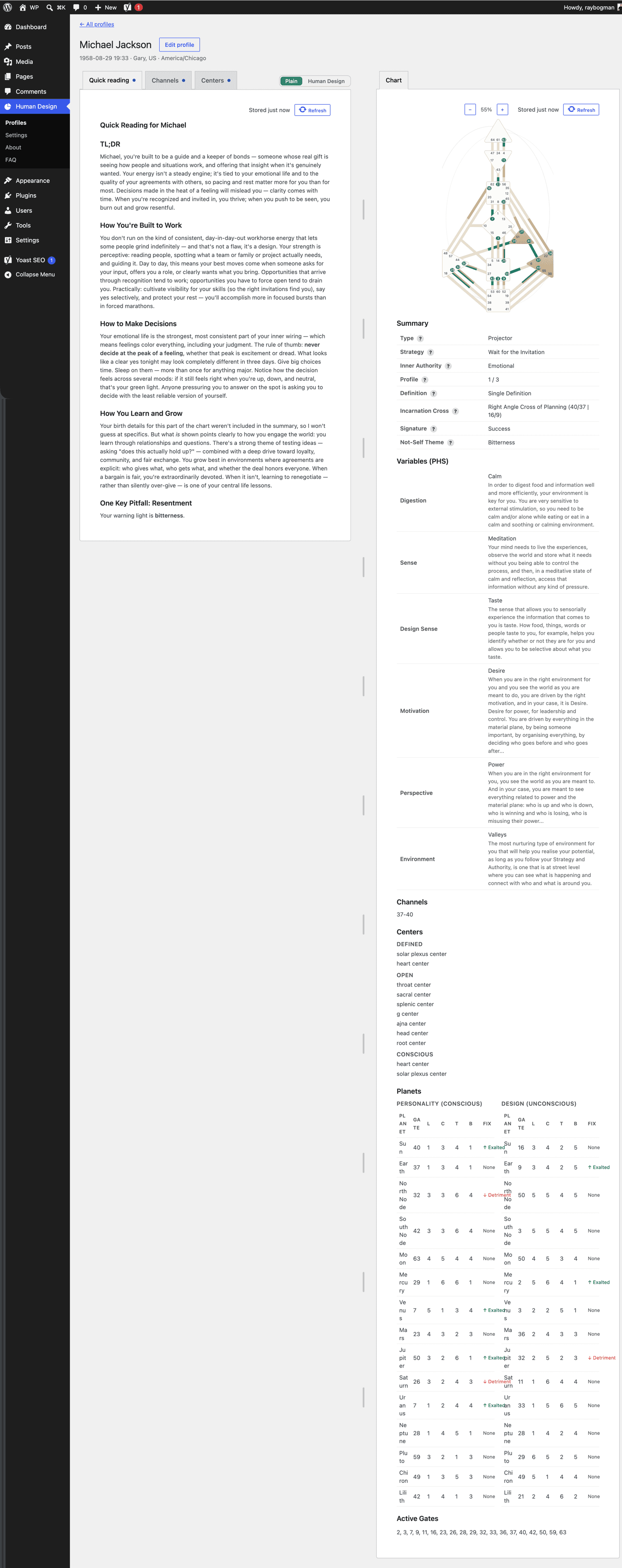
Add Human Design to WordPress in three steps
From sign-up to your first client’s chart in a few minutes. Connect issues your site’s reloom API token for you; you can also create one under Dashboard → API access and paste it in.
Create your free reloom account
Sign up at reloom.life and cast your own chart. The Free plan is enough to connect a site and try the plugin.
Start freeInstall the plugin and connect
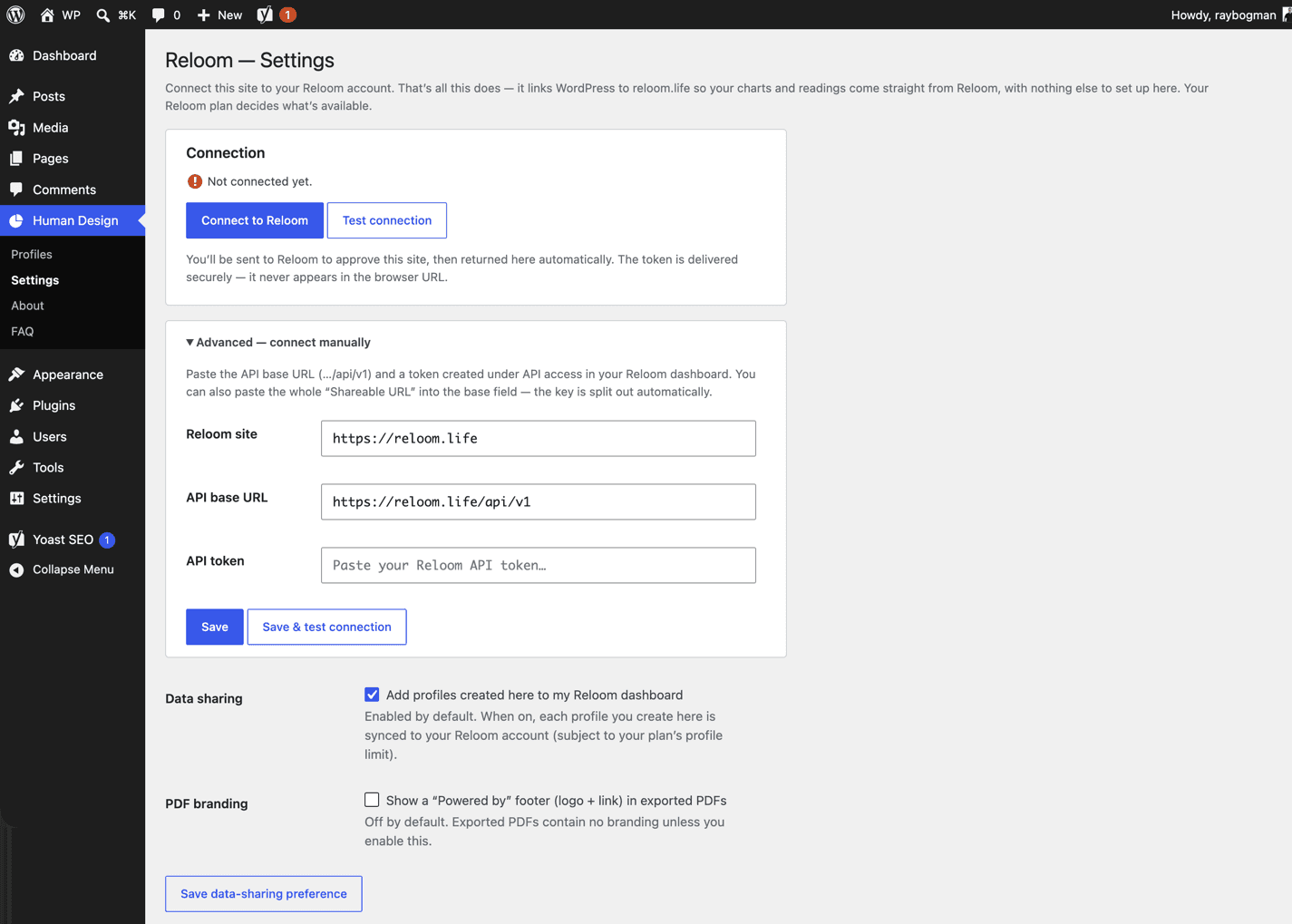
Add “Reloom for Human Design” from WordPress.org, open Human Design → Settings in wp-admin and press Connect. You approve the site in reloom and your site receives its reloom API token — nothing to copy, no third-party keys.
Get the pluginOpen your first client’s chart
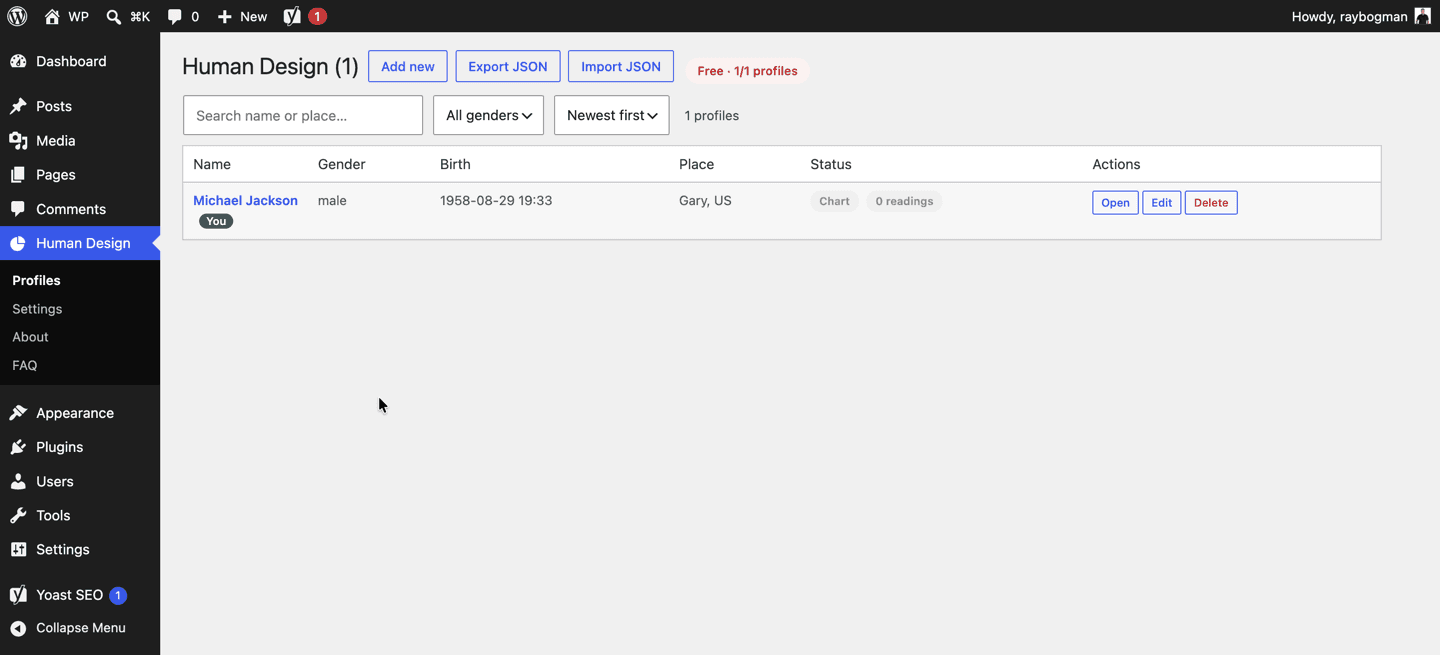
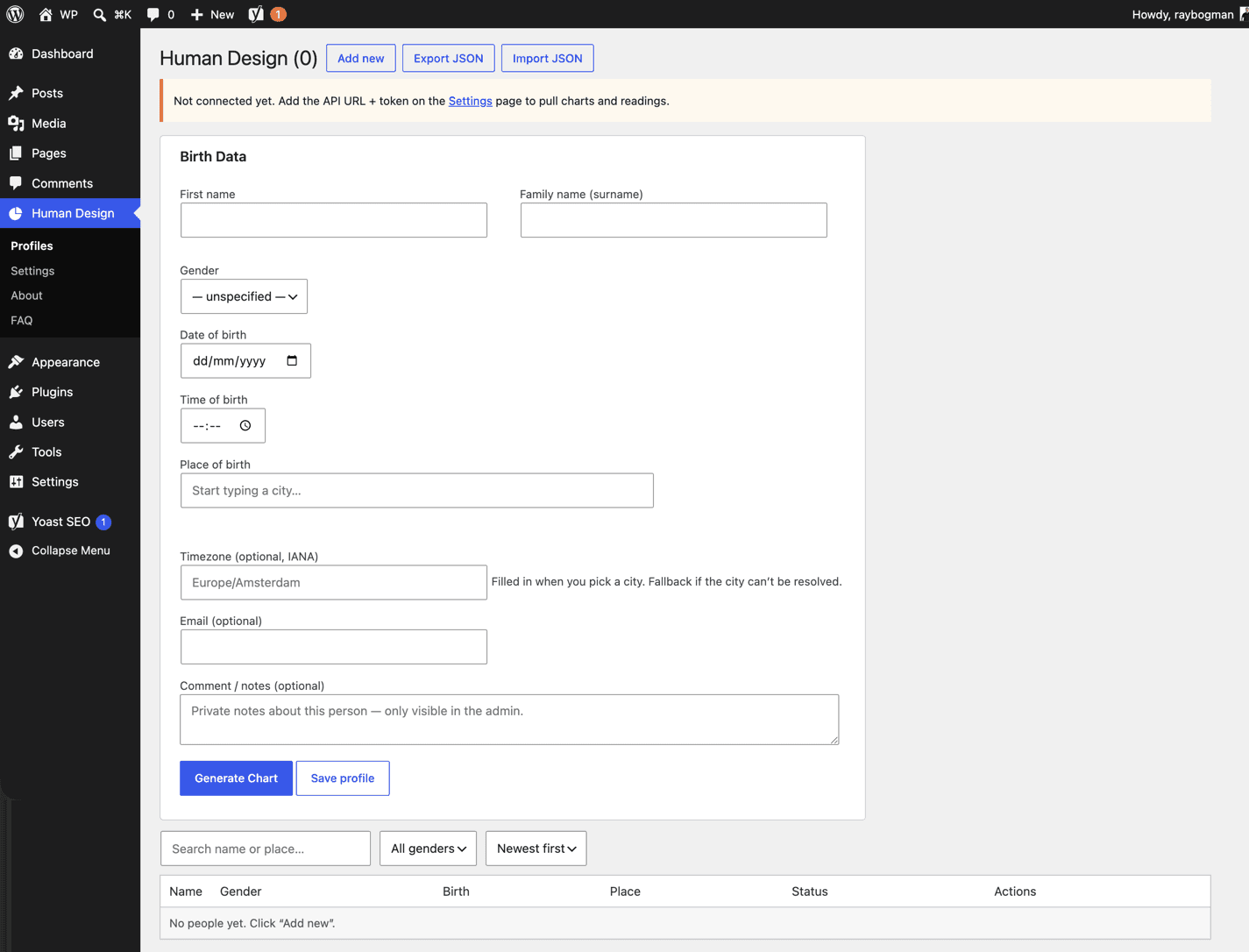
Your reloom profiles appear in the Profiles roster. Add a client with the Birth Data form and read their chart without leaving WordPress.
What Human Design in WordPress gives your practice
Everything a practitioner needs for a session — the chart, the reading and the hand-out — without leaving wp-admin.
Every client’s chart, one click away
A roster of everyone you hold in reloom, right in wp-admin. Open a person and their Bodygraph and readings are there in tabs — no second app, no tab-hopping.
Readings your clients understand
Every reading comes Plain and jargon-free first, with the deeper Human Design voice a click away. Read one to a client without translating.
A PDF to hand over after every session
One button makes a real PDF with the person’s name, Bodygraph and readings — made on your server, ready to email or print.
Grows with your practice
The plugin shows what your reloom plan unlocks. Start on Free, move to Practitioner or Studio when the roster grows — the plugin simply shows more.
Inside the Human Design plugin
Why reloom, and not a chart widget
Readings, not just a chart
A chart widget draws the Bodygraph and stops. reloom writes the reading — Type, Authority, centers, channels, gates — in warm, plain language, so every client leaves understanding their design.
Same chart, same reading, everywhere
reloom computes every chart and reading and serves them through the reloom API, so what you open in WordPress is exactly what you see on reloom.life. Connect brings your reloom people into the roster; Refresh re-pulls anyone’s chart and readings. Nothing to export, nothing to re-type.
Made for practitioners, coaches and studios
Use it beside your own method, hand a client a PDF at the end of a session, and let a whole team work from one connected site, one reloom account and one roster.
“The plugin never talks to a chart or AI provider. It talks to reloom — and only after you say so.”
Nothing is sent until you connect. Read the privacy policy.
Plans for your Human Design practice
Start free. The plugin works on every plan — upgrade when your roster grows.
Practitioner
Insight, built to be passed on.
€29 / month
25 people · 75 readings / month
Choose PractitionerYearly billing saves two months. Compare every plan and feature.
Bring your practice into WordPress
Create your free reloom account, install the plugin, and open your first client’s chart in wp-admin today.
Human Design WordPress plugin: your questions
- What happens when I outgrow the Free plan?
- You upgrade inside reloom. The plugin needs no update or reinstall — it simply shows more people and more readings the next time you open it.
- Do I need a reloom account?
- Yes. The plugin has no chart engine or AI of its own — it is a client for reloom. Create a free account at reloom.life, then press Connect in the plugin’s Settings screen.
- Which plan do I need?
- The plugin works with every reloom plan, including Free. What it can show follows your plan: the Bodygraph chart plus the readings your plan includes. Upgrade in reloom and the plugin shows more, no reinstall needed.
- What data is sent to reloom?
- Nothing until you connect. After that, the birth details of a person you open (name, gender, date, time, place, timezone) are sent to reloom to compute the chart and readings, exactly as if you entered them on reloom.life. The plugin never talks to a chart or AI provider directly.
- How does the one-click Connect work?
- It is an OAuth-style flow with PKCE. The plugin sends you to your reloom dashboard, you approve the site, and reloom hands the plugin a single-use code that it exchanges for an API token on the server. That token is your site’s key to the reloom API; it never appears in your browser’s address bar. Prefer to do it by hand? Create a token under Dashboard → API access and paste it into the plugin’s Settings.
- Is this the reloom API?
- Yes. The plugin is a client of the reloom API — every chart and reading it shows comes through the API with your site’s token. Any other client can use the same API with a token from Dashboard → API access; email [email protected] to get started.
- Does it show charts to my website visitors?
- Not yet. The plugin lives in wp-admin — it is a tool for you and your team, not a public widget. If you want to share a chart with a client, use the PDF export or reloom’s share links.